
Bentic
AvailableSheet metal and weldment automation for SolidWorks.
Flat pattern export, bend documents, weldment cut optimization, sheet metal reports, BOM, nesting and more — all from inside SolidWorks, under a single toolbar.
Screenshots
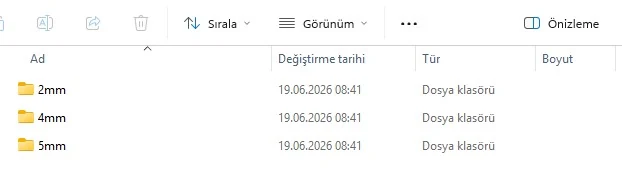
You never leave SolidWorks: Bentic mounts as a tab on the ribbon, does the work, and writes the output into folders.

Plans & pricing
Annual subscription pricing. Email support and free version updates for the duration of your subscription are included in every plan. Prices are in USD.
Workshops doing sheet metal work daily
The complete core sheet metal and weldment workflow.
-
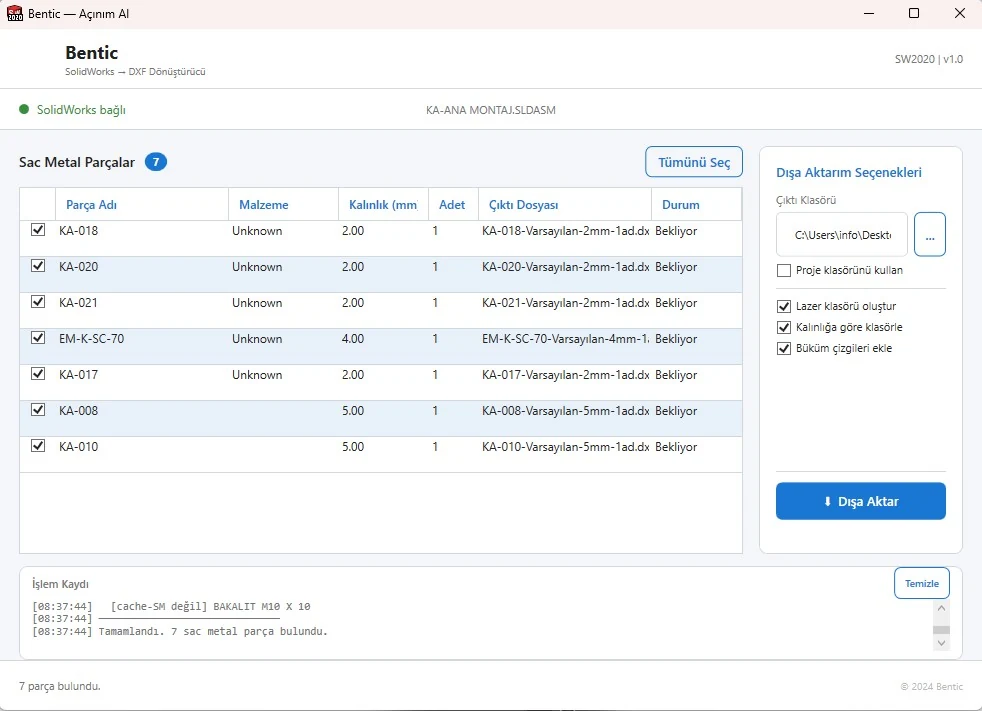
Flat Pattern ExportScans sheet metal parts in an assembly and exports flat pattern DXF files; folders by thickness, token-based custom file names.
-
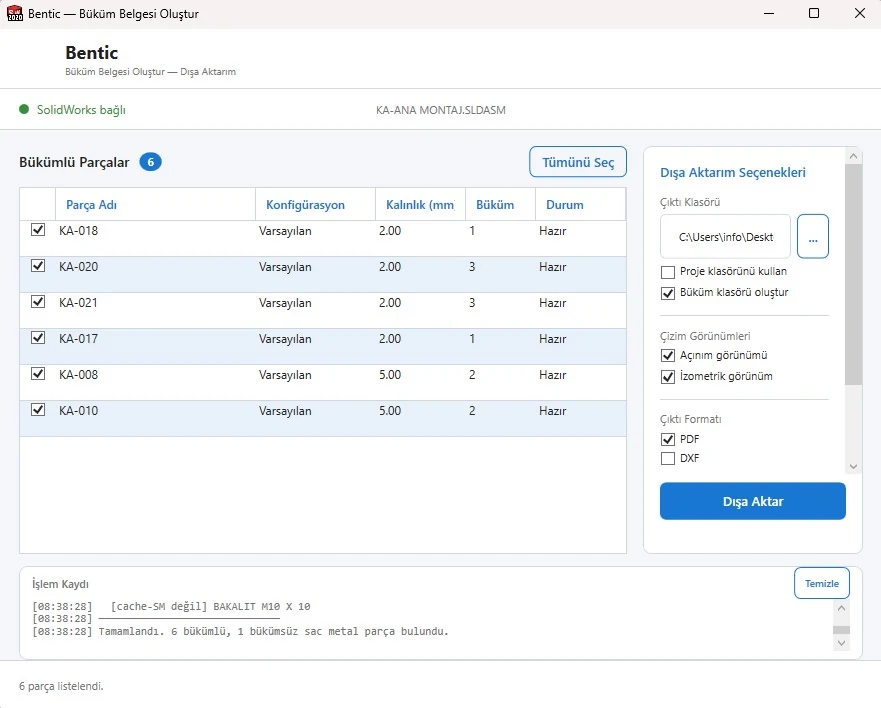
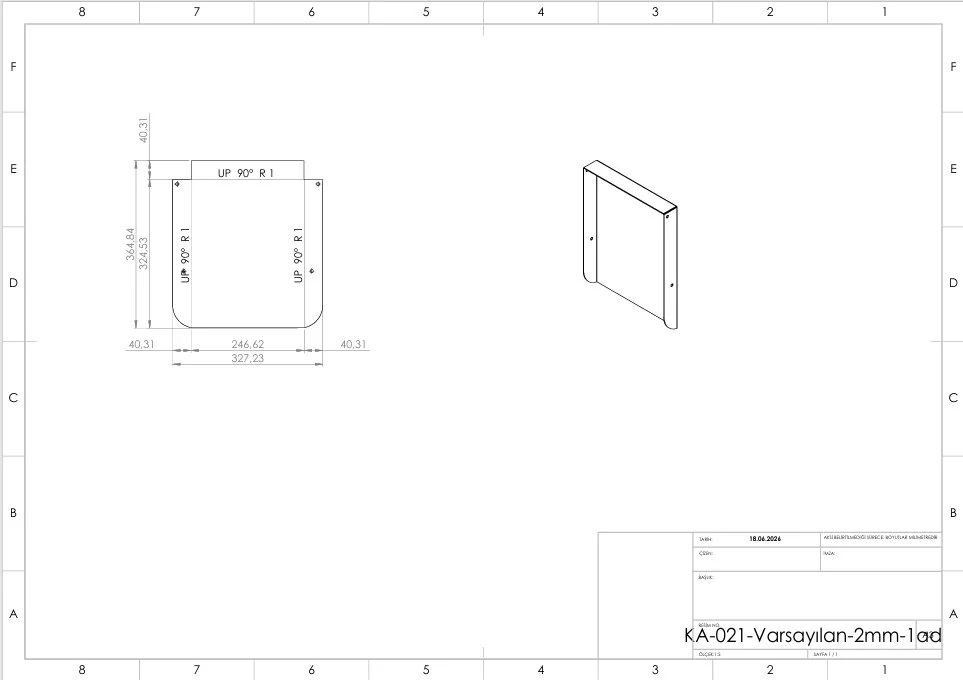
Bend DocumentsDimensioned PDF / DXF / SLDDRW documents for bent parts — flat pattern, isometric view, bend chain dimensions, title block.
-
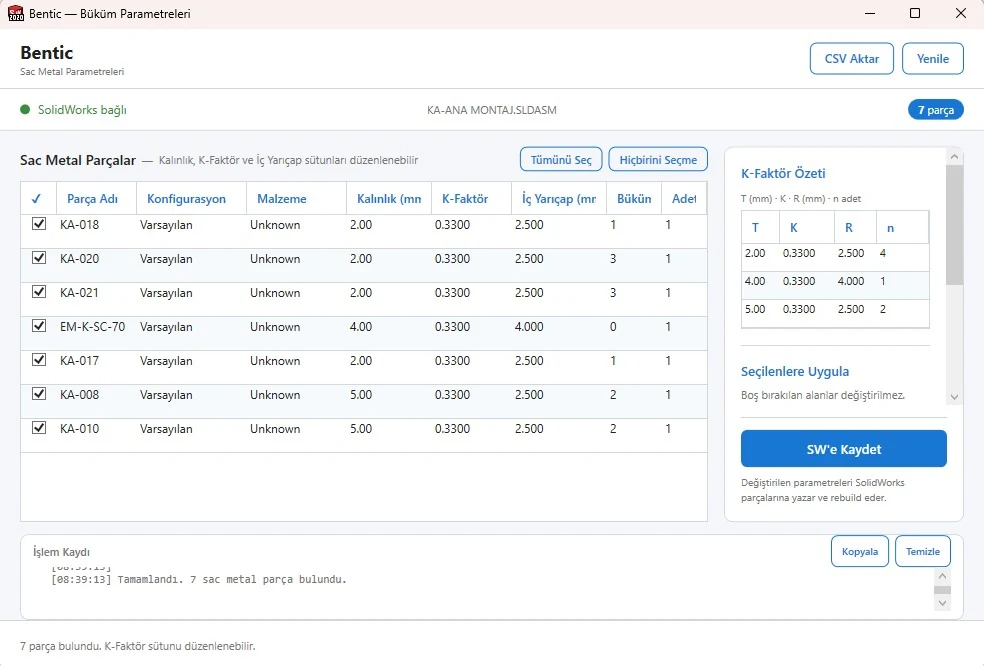
Bend ParametersK-factor, inner radius and flat length per part; per-configuration overrides and write-back to SolidWorks.
-
Cut ListExtracts the profile list from weldment assemblies and runs 1D cut optimization against standard bar lengths. Excel / HTML report.
Standard + deeper documentation
Extended package with reporting, BOM and format conversion.
-
Sheet Metal ReportThickness / flat area / weight / bend count / quantity table for every sheet metal part. Excel + HTML.
-
Bounding BoxBatch bounding box calculation and writing dimensions into custom properties.
-
BOMBill of materials with thumbnails; Excel and HTML export.
-
Drawing ExportBatch drawing → PDF export.
-
ConverterBatch conversion to STEP, IGES, STL and JPG.
Series production, automation-focused workshops
Full automation with 2D nesting, automatic drawings and QR codes.
-
Nesting2D sheet nesting: arranges multiple sheet metal parts optimally on a single sheet to minimize scrap.
-
Auto DrawingAutomatic drawing for a selected part/assembly with front/side/top/isometric plus flat pattern views.
-
QR CodeAdds a QR code containing part metadata to the drawing.
Sales and invoicing are handled by Ervam; your invoice is emailed to you after payment. See the Contact page for full seller details.
Feature comparison
| Feature | Standard | Professional | Premium |
|---|---|---|---|
| Flat Pattern Export | ✓ | ✓ | ✓ |
| Bend Documents | ✓ | ✓ | ✓ |
| Bend Parameters | ✓ | ✓ | ✓ |
| Cut List (1D optimization) | ✓ | ✓ | ✓ |
| Sheet Metal Report | — | ✓ | ✓ |
| Bounding Box | — | ✓ | ✓ |
| BOM (with thumbnails) | — | ✓ | ✓ |
| Drawing Export | — | ✓ | ✓ |
| Converter (STEP/IGES/STL/JPG) | — | ✓ | ✓ |
| Nesting (2D) | — | — | ✓ |
| Auto Drawing | — | — | ✓ |
| QR Code | — | — | ✓ |
Download
Try Bentic for free — after installation you get 7 days with every Premium feature unlocked. One trial per machine.
The download link is being prepared. Send us your request and we will email you the installer.
System requirements
- Windows 10 or 11 (x64)
- SolidWorks 2020 or newer
- .NET Framework 4.8 (included with Windows 10+)
- Administrator rights for installation (COM registration)
- Internet connection (for first activation)
Installation steps
- Run the Bentic_Setup_2.0.exe file you downloaded
- Choose a language (Turkish / English), accept the agreement, pick the folder
- Restart SolidWorks once installation finishes
- Enable Bentic from Tools → Add-Ins
- The 7-day trial starts automatically on first launch; you can enter your license key later
Version 2.0 — Professional package (April 2026)
- Sheet Metal Report
- Thickness / area / weight / bend count table. Excel + HTML export.
- BOM (with thumbnails)
- Bill of materials with thumbnails; Excel and HTML.
- Drawing Export
- Batch drawing → PDF export.
- Converter
- Batch format conversion for STEP / IGES / STL / JPG.
Frequently asked questions
- Is there a free trial?
- Yes. After installation you can try every Premium feature free for 7 days. One trial per machine.
- Is there a monthly subscription?
- Soon. For now we only offer annual subscriptions; get in touch for monthly or weekly options.
- How many computers can I install it on?
- A license is bound to a single machine. If you need to move it, we can transfer it through a support request.
- Can I upgrade my subscription?
- Yes, you can move up to a higher plan at any time. The difference is calculated based on your remaining subscription period.